built with bubbletea ยท go ยท mpv

Stremio,
terminalnative.

Browse catalogs, search movies & series, navigate episodes, and fire streams straight into mpv. No browser. No Electron. No nonsense.

PS> irm https://raw.githubusercontent.com/itssoap/cremio/main/install.ps1 | iex
curl -fsSL https://raw.githubusercontent.com/itssoap/cremio/main/install.sh | bash
Cremio mascot - a happy kawaii star with a terminal prompt

// what it does

Everything you need.
Nothing you don't.

A complete Stremio client that lives in your terminal. Keyboard-driven, blazing fast, zero GUI overhead.

๐Ÿ“บ
Browse
Catalog Browsing
Browse rich catalogs from all installed Stremio addons. Cinemeta v3 ships by default on first run.
๐Ÿ”
Search
Full-text Search
Query addons directly, with automatic client-side fallback filtering when addons don't support search.
๐ŸŽฌ
Series
Season & Episode Nav
Full series support - navigate seasons and episodes, bulk-fetch streams across all episodes at once.
๐Ÿ“œ
HistoryTrakt
Watch History
Persistent local watch history in a Trakt-compatible JSON format. Export and sync via Trakt's API directly.
๐Ÿ”Œ
Addons
Addon Management
Add or remove Stremio addons by URL with live manifest validation. Build your own addon stack.
โ–ถ๏ธ
mpv
Native mpv Playback
Streams launch directly in mpv - no browser, no Electron, no wrapper. Just clean, native playback.

// in the wild

Looks good in the dark.

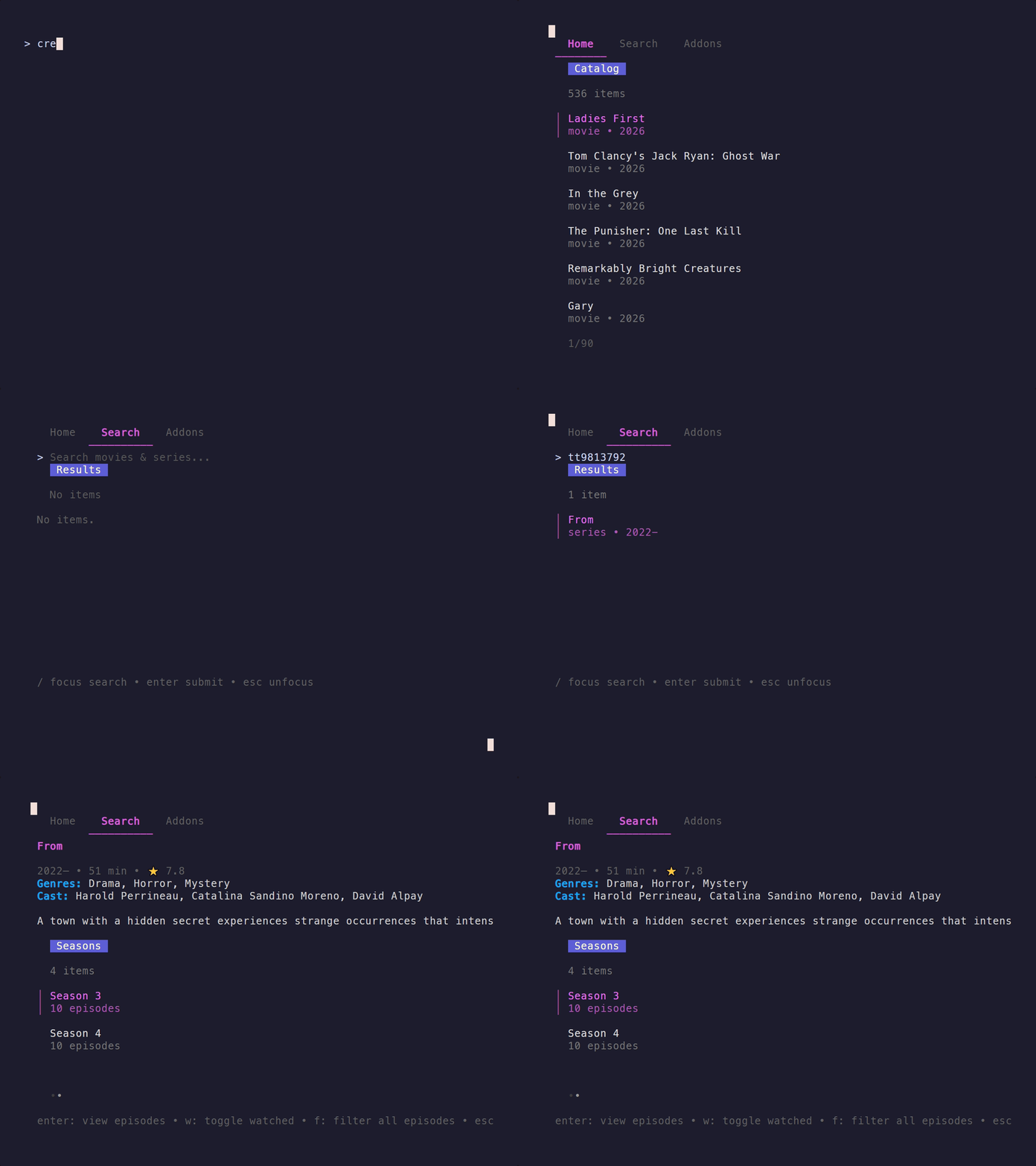
Cremio's TUI renders cleanly at any terminal size - tabbed layout, keyboard navigation, instant response.

cremio - terminal
Cremio TUI running in terminal

// controls

Keyboard-first.
Always.

Every action reachable from the keyboard. No mouse required, ever.

tab Cycle Home / Search / Addons / History tabs
enter Select item or submit input
/ Focus the search input (Search tab)
esc Go back or unfocus input
w Toggle watched - episode, season, or movie
f Fetch streams based on a Filter
a Add a new addon (Addons tab)
d Remove the selected addon (Addons tab)
q Quit
ctrl+c Quit (universal)

// get started

One command.
Any platform.

Scripts download the latest binary, install to a local bin directory, and add it to your PATH. Run the same command again to update. Requires mpv in PATH.

๐ŸชŸ Windows - PowerShell
PS> irm https://raw.githubusercontent.com/itssoap/cremio/main/install.ps1 | iex
๐Ÿง Linux / macOS / FreeBSD
curl -fsSL https://raw.githubusercontent.com/itssoap/cremio/main/install.sh | bash

Pre-built Windows binaries on the releases page. Build from source: go build -o cremio .

"I really didn't want a UI." - so we built one for the terminal.

cremio is a proof-of-concept: a fully functional Stremio client,
zero browser ยท zero Electron ยท zero nonsense.